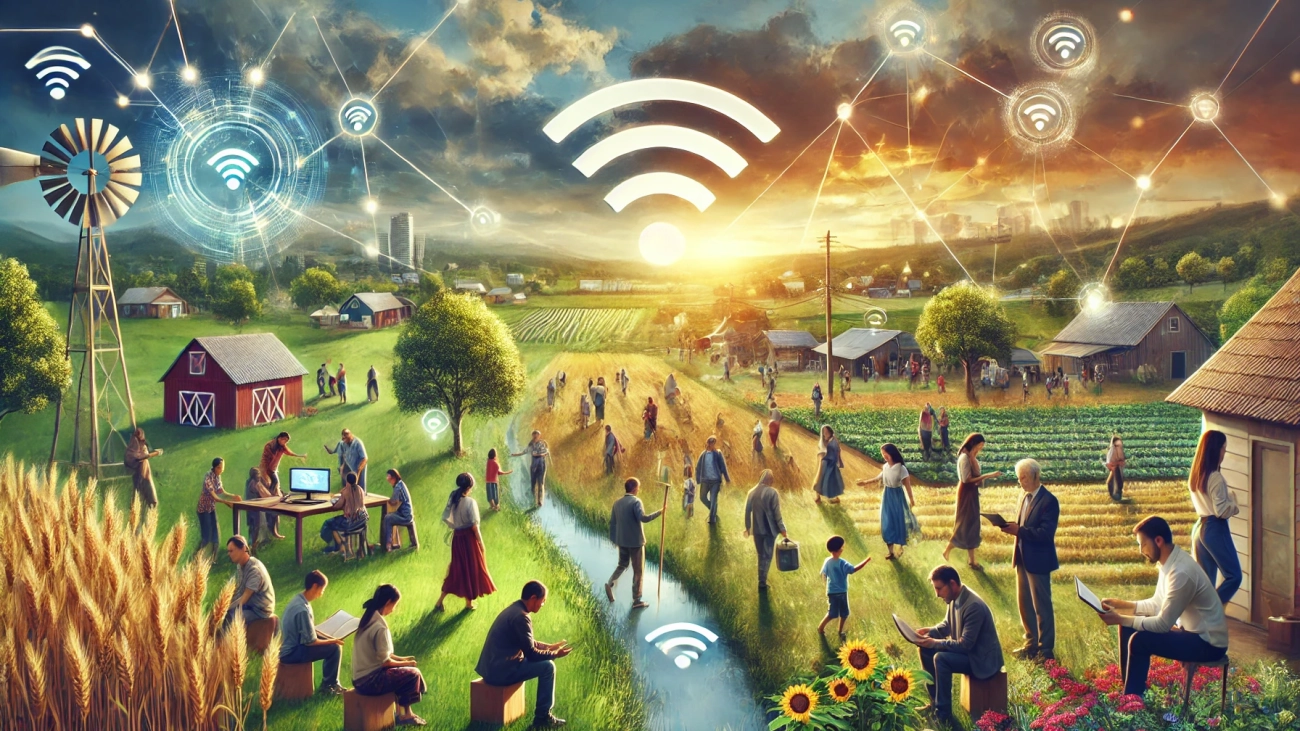
DALL·E-2024-07-30-12.56.25-A-dynamic-and-engaging-landscape-photo-focused-on-community-and-set-in-a-rural-area.-The-image-should-depict-diverse-groups-of-people-engaging-in-comm

Let’s talk about it: Digital Equity Act Competitive Grant

Let’s talk about money – specifically the money made available to organizations and partnerships involved in digital equity.

The Competitive Grant program is a community’s pathway to securing Digital Equity Act funds.


How did we get here? In November 2021, under the bipartisan infrastructure law, Congress created the Digital Equity Act of 2021, allocating $560 million to states and territories to develop comprehensive state digital equity plans. This initiative aimed to bridge the digital divide, ensuring equitable access to digital tools and resources for all communities.

By allocating these funds, the Digital Equity Act set the stage for every state and territory to create a tailored digital equity plan. These plans serve as blueprints for addressing the unique digital needs of each region, ensuring that no community is left behind in the digital age.

In March, the initiative took a significant step forward with the launch of the State Capacity Program. This program allows states and territories to apply for additional funding to implement their digital equity plans. By providing these resources, the State Capacity Program empowers regions to take actionable steps towards achieving their digital equity goals.


Now, we have arrived at the next phase: the Competitive Grant Program. This program is a game-changer as it opens the door for not only state agencies but also nonprofits and community anchor institutions to apply directly to the National Telecommunications and Information Administration (NTIA) for funding. This inclusivity ensures that a broader range of organizations can contribute to the mission of digital equity, leveraging their unique strengths and insights to address the digital divide.

The programs outlined in the Digital Equity Act focus on promoting large-scale social and economic change by centering on digital equity, digital inclusion, and digital literacy among covered populations. Digital inclusion activities include reliable broadband service, internet-enabled devices, applications and online resources designed to encourage self-sufficiency, participation, and collaboration, digital literacy training access, quality technical support, and awareness of online privacy and cyber security measures.

The program aims to expand access to quality education, healthcare, and internet technology, as well as promote social and civic engagement and foster economic stability, including workforce deployment and employment opportunities.

NTIA is seeking applications that address gaps in the implementation of state digital equity plans, will supplement or further advance state digital equity plans, and/or proposals that address barriers that were not identified in the current state digital equity plans. NTIA encourages proposals that demonstrate a broad partnership of entities with the ability to administer significant resources and address the varied concerns of covered populations. Communities are encouraged to look at these plans, identify gaps, and develop partnerships that can effectively administer resources and address the diverse concerns of the covered populations. Proposals should center the voices of those in covered populations, co-creating solutions that meet their needs through innovative approaches that transcend current programs.


Grant funds should be used to support digital inclusion activities, adopt broadband, upgrade public access centers, implement training programs, and make equipment available to those in need. Grants must have at least 10% matching funds, which can be cash or in-kind contributions. Additionally, there is a 10% cap on evaluation costs and a 10% cap on administrative costs.

Eligible entities include political subdivisions, agencies, instrumentalities; non-profit organizations, community anchor institutions, local education agencies, entities that carry out workforce development programs, or a partnership of any of these.

The NTIA encourages organizations to apply in partnerships. One eligible entity must be designated as the applicant for the partnership and serve as the Authorized Organizational Representative (AOR). The AOR must submit a binding letter of commitment from each member of the partnership and must have signatory authority on behalf of the organization they work for and all organizations in the partnership.


The application portal for these grants will open on August 14, 2024. In the meantime, review Maryland’s statewide Digital Equity Plan and identify where we can support supplement the work outlined.


Who Are the Covered Populations?

Covered individuals under the Digital Equity Act include those who are most in need of support to access digital resources. These groups include:
– Individuals living in households with an income of not more than 150% of the poverty level.
– Individuals aged 60 and over.
– Incarcerated individuals.
– Veterans.
– Individuals with disabilities.
– Individuals with a language barrier.
– Individuals who are part of a racial or ethnic minority.
– Individuals who primarily reside in a rural area

Screenshot_10-6-2024_73816_chatgpt.com_

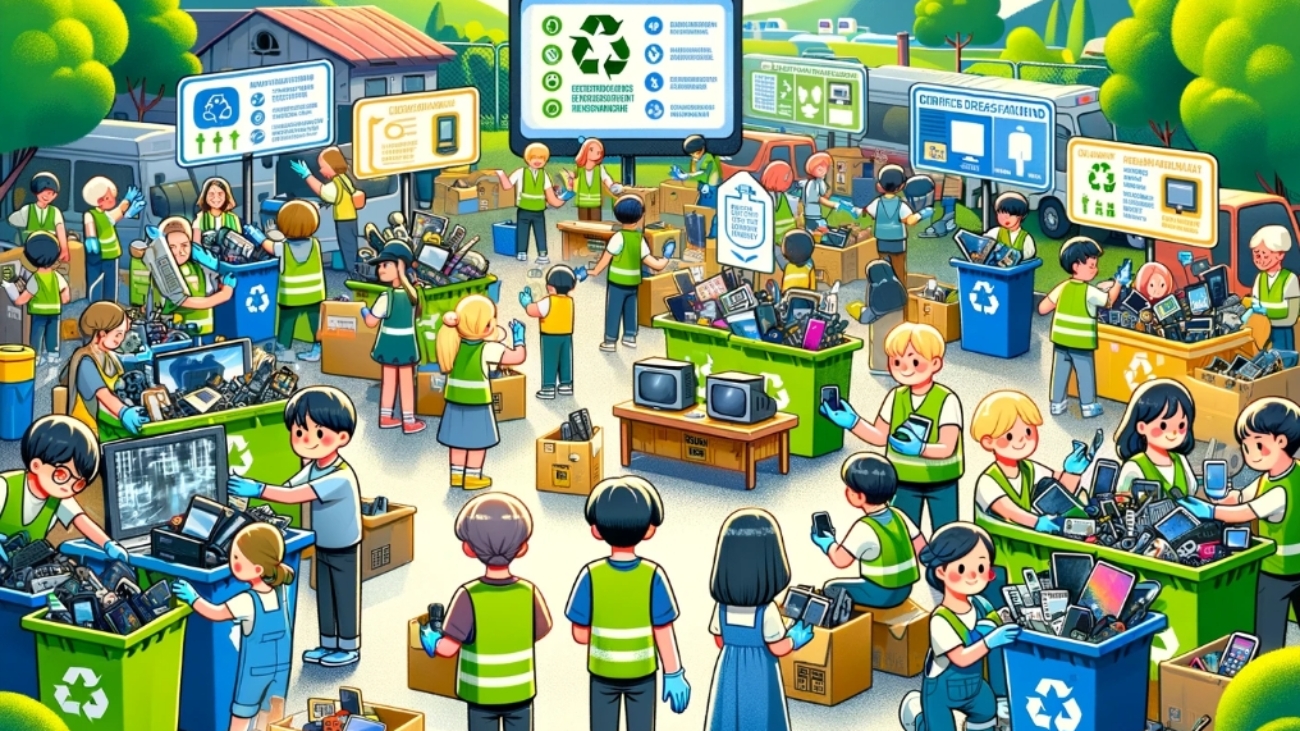
Understanding and Addressing E-Waste: Join Our Collection Event on June 15th

As technology continues to evolve rapidly, electronic waste (e-waste) becomes an increasingly pressing issue. In our last e-waste blog, we shared with you:

  • 70% of our overall toxic waste is e-waste.
  • 85% of our e-waste is sent to landfills and incinerators.
  • Every year, we generate around 40 million tons of electronic waste every year (that’s like throwing 800 laptops out every second).

Our upcoming used electronics collection event on June 15th is the perfect opportunity to raise awareness about the impact of e-waste and how we can all contribute to solving this problem. By understanding what e-waste is and the challenges it presents, we can take effective steps to mitigate its harmful effects on our environment and health.

What is E-Waste?

E-waste refers to discarded electronic devices and components, including smartphones, laptops, tablets, televisions, refrigerators, and electronic toys. As technology advances and older devices become obsolete, the lifespan of electronic products decreases, leading to a significant increase in e-waste worldwide.

Why is E-Waste a Problem?

E-waste presents several environmental, health, and economic challenges. Many electronic devices contain hazardous materials such as lead, mercury, cadmium, and brominated flame retardants. Improper disposal of e-waste can impact daily life through:

Airborne Pollutants: Burning e-waste releases toxic fumes and particulate matter into the air, causing respiratory issues, cardiovascular problems, and cancer. People living near e-waste processing sites are at higher risk of exposure.

Contaminated Water: Toxic substances from e-waste can seep into groundwater and surface water, affecting drinking water supplies. Consuming contaminated water can cause gastrointestinal issues, kidney damage, and long-term illnesses like cancer.

Soil Contamination: Toxic chemicals from e-waste accumulate in soil, affecting agriculture and local food supplies. Crops grown in contaminated soil absorb harmful substances, entering the food chain and causing health issues.

How to Prevent E-Waste

Preventing e-waste starts with individual actions at home. Here are some effective methods:

Proper Disposal and Recycling:
– Use designated e-waste recycling facilities and participate in community collection events (HINT: June 15!)
– Utilize manufacturer and retailer take-back programs for responsible recycling.

Extending Device Lifespan:
– Maintain and repair devices to prolong their use. Use protective cases and perform regular maintenance (HINT: ask ChatGPT what regular maintenance and use habits might help prolong the lifespan of your device).
– Fix issues instead of replacing devices at the first sign of trouble.
– Upgrade components like RAM or hard drives instead of buying new devices.

Making Sustainable Choices:
– Choose electronics from manufacturers that prioritize sustainability and design products to be durable and easy to recycle.
– Buy refurbished or second-hand electronics to reduce demand for new products and keep usable devices out of landfills.
– Donate or sell functional devices to give them a second life.

Day-to-Day Practices:
– Educate others about proper e-waste disposal and its environmental impact.
– Advocate for policies promoting responsible e-waste management and recycling infrastructure.
– Be mindful of electronic consumption and avoid unnecessary upgrades.
– Choose multi-functional devices to reduce the number of separate gadgets needed.

Join Us in Combatting E-Waste

E-waste is a growing concern that affects our environment, health, and economy. By taking steps to properly dispose of and recycle e-waste, extending the lifespan of our electronic devices, making sustainable choices, and advocating for better policies, we can all contribute to reducing the impact of e-waste.

Join us at our e-waste collection event on June 15th to make a difference and learn more about how you can help combat e-waste in our community. Together, we can create a more sustainable future for everyone.

Screenshot_21-5-2024_17315_chatgpt.com_

Understanding EMFs: Protecting Yourself in a Connected World

Got electromagnetic fields?

We all do. Whenever we are around our devices and power sources. But what are they and what are they doing?

An electromagnetic field (EMF) is the energy area surrounding an electrical device. The movement of electrical charges within these devices creates non-ionizing radiation, meaning it doesn’t have enough energy to ionize atoms or molecules.

Low-frequency EMFs are found around power sources like power lines, electrical wiring, and appliances. High-frequency EMFs, ranging from 300 Hz to 300 GHz, are associated with wireless communication technologies such as radios, televisions, microwaves, and mobile phones.

The basis of modern technology is electromagnetism, the connection between electricity and magnetism. This relationship was first identified by Hans Christian Ørsted in 1820 when he observed that an electric current deflected a compass needle, indicating that electric currents produce magnetic fields

Electricity involves the movement of electric charges. Their movement generates a magnetic field. As the magnetic field changes it generates an electric field. Changing electrical fields produce magnetic fields and vice versa. This interaction creates electromagnetic waves, as described by James Clerk Maxwell’s work in the mid-19th century. These waves travel at the speed of light and encompass a spectrum from radio waves to gamma rays.

EMFs link electric and magnetic fields. Electric fields arise from stationary electric charge while magnetic fields arise from moving electrical currents. When charges move, they create both fields, which interact to create electromagnetic waves. An EMF is the combined effect of this dynamic interaction.

Frequency is the number of oscillations per second of the electromagnetic wave, measured in hertz (HZ) and usually observed in this context as megahertz (MHz) and gigahertz (GHz). Higher frequency waves have more oscillations per second – MHz has one million cycles per second, GHz has one billion. The higher the frequency, the shorter the wavelength. The wavelength determines the wave’s ability to penetrate materials and also its range of influence.

Mobile phones emit high-frequency electromagnetic waves, or radiofrequency (RF) waves, for wireless communication. These RF waves range from a few megahertz to several gigahertz and, when on the higher end of the spectrum, they are able to transmit data over long distances. So, what does our phone emit when we use it – and when we don’t?

Making Phone Calls RF waves 700 MHz to 2.5 GHz
Using Mobile Data 

Internet browsing, streaming, online activities

3G networks operate within 800 MHz to 2100 MHz

4G LTE networks operate within 700 MHz to 2600 MHz

5G networks

  • Low-band frequencies operate within 600 MHz to 900 MHz
  • Mid-band frequencies, 1.7 GHz to 3.7 GHz
  • High-band frequencies, 24 GHz to 39 GHz
Using Wi-Fi RF waves 2.4 GHz to 5 GHz
Using Bluetooth RF waves 2.4 GHz
Carrying the Phone

Cellular, Wi-Fi, and Bluetooth signals are still active

RF waves from cellular signals, Wi-Fi (2.4 GHz to 5 GHz), and Bluetooth (2,4 GHz)

The specific absorption rate (SAR) measures the rate at which the body absorbs RF energy, in watts per kilogram (W/kg). RF waves from mobile phones penetrate the body to varying depths. For example, 700 MHz waves can penetrate a few centimeters, while 2.6 GHz waves penetrate less than 1 centimeter, mostly absorbed by the skin and superficial tissues. Have you ever noticed your ear getting hot or sweaty during a phone call? This is a result of continuous exposure to RF energy. 

Prolonged RF exposure can have non-thermal biological effects, such as oxidative stress, DNA damage, and changes in cell function. The International Agency for Research on Cancer (IRAC) classified RF radiation as “possibly carcinogenic to humans,” based on evidence of an increased risk for glioma, a type of brain cancer, with heavy, long-term mobile phone use (IARC Interphone Study Results, International Journal of Epidemiology – Interphone Study). This was defined as using the phone for 30 minutes per day on average over 10 years.

Studies indicate that, with an average SAR of 1.0 W/kg, using a phone for 30 minutes per day results in absorbing about 1800 joules/kg daily. Given that 18-24 year-olds in the United States use their phones for about 4 hours and 35 minutes per day, this equates to 16,200 joules/kg daily. This modern usage is nearly 9 times higher than the levels associated with increased brain tumor risks in earlier studies.

If the studies showing increased risks of brain tumors with lower levels of RF exposure are accurate, significantly higher exposure levels among young adults today should be a serious cause for concern.

EMFs are most intense within a few centimeters to a meter from the phone. The intensity rapidly decreases beyond this range, making near-field exposure the most relevant for personal health.

To reduce exposure from mobile phones, use some of these strategies:

  • Go Hands-Free
    • Use the speakerphone, wired earbuds, or headphones to keep the phone away from your head. While Bluetooth headsets emit some EMF, the levels are much lower compared to holding the phone to your ear.
  • Limit Mobile Phone Calls
    • Keep mobile phone calls close to your ear short. For longer conversations, consider using a landline if possible.
  • Avoid Direct Contact
    • Avoid carrying your phone in your pocket or close to your body. Instead, use a bag or place it on a nearby surface.
    • Avoid sleeping with your phone near your head or under your pillow. Place it on a bedside table at least a few feet away or in a separate room.
  • Use Airplane Phone
    • When you don’t need cellular connectivity or when you are connected to WiFi, enable airplane mode to disable the phone’s wireless transmissions.
    • If you need to carry your phone in your pocket or close to your body, put it in airplane mode.
    • Better yet, try to make a habit of slipping into airplane mode when you aren’t using it. You can also still choose to be connected to WiFi. Even still, in airplane mode, you’ll be helping reduce EMF emissions.
  • Reduce Background Apps
    • Limit the number of apps running in the background that require continuous data exchange, which can increase EMF emissions.
  • Optimize Signal Strength
    • Use your phone in areas with strong reception to reduce the phone’s power output, as phones emit more radiation when trying to connect in areas with poor signals.
    • Avoid using your phone near metal objects, which can amplify EMF exposure.
  • Use EMF Shields
    • Use cases and shields designed to block or reduce EMF radiation
  • Avoid Concurrent Use
    • Minimize the use of other EMF-emitting devices simultaneously (e.g. laptop) to reduce cumulative exposure. 


Environmental Working Group guidelines on cell phone radiation

World Health Organization recommendations on reducing exposure to mobile phone radiation

DALL·E-2024-05-13-12.04.11-A-landscape-oriented-colorful-digital-illustration-of-a-summer-music-festival-in-Maryland-similar-in-style-to-the-previous-vibrant-and-detailed-illu

Your Ticket(s) to Summertime Fun

Streamline Your Summer Fun: Navigating Mobile Ticketing for Concerts and Sporting Events

Summer is here, bringing with it the perfect opportunity to enjoy outdoor concerts and sporting events. The convenience of mobile ticketing apps is your ticket to summertime fun. These apps streamline the ticket purchasing and make day-of organizing an ease. Forget about paper tickets and long lines at the box office. Mobile ticketing apps allow you to access your tickets directly from your smartphone. Goodbye to the worries of lost tickets or the hassle of printing them at the last minute, hello to terrific ticketing management. A few taps on your device, and your tickets are securely saved, ready for entry at the venue.

Popular platforms like Ticketmaster, StubHub, SeatGeek, and Live Nation offer a range of features, including interactive seat maps and special deals that cater to diverse preferences and budgets. Many mobile ticket users use several of these platforms, as artists and entertainers choose what platform to use to sell their tickets. There is no charge to use a platform, although there are usually service fees and processing fees that you’ll see added to the ticket price when you are checking out.

Purchase Your Tickets. You can buy your tickets on a website or by downloading the platform’s app from your official app store. Search for events, pick your tickets, and proceed to checkout. The apps support various payment methods, including credit/debit cards and digital wallets, making the purchase process fast, easy, and secure. Use strong passwords and avoid public Wi-Fi when entering payment information.

Access Your Tickets. After purchasing your tickets, you usually will not need to print them out or look for them in the mail. Your tickets are readily accessible within the app, eliminating the old scramble to print or find a paper ticket. A few taps on your smartphone, and your tickets are ready to be scanned at the venue’s entrance. If you cannot find your tickets on the app, ask ChatGPT “how to find my tickets on [platform you are using].”

Get Event Info. Mobile ticketing apps keep you updated with real-time notifications about your event. Get all the details you need—venue policies, event timings, and any changes to the schedule—right there on the app.

With mobile ticketing, entering the world of live entertainment is just a few taps away. Download your preferred app, secure your tickets, and prepare for a summer of fun and excitement. Enjoy the ease and accessibility at your fingertips and make the most out of this vibrant season.

DALL·E-2024-05-01-16.20.04-A-horizontal-vibrant-kitchen-scene-for-a-blog-header-depicting-a-diverse-array-of-fresh-and-pantry-ingredients-like-vegetables-spices-and-dairy-pr

How to Use ChatGPT to Cook Delicious Meals with What You Have

Struggling to figure out what to cook with the random assortment of ingredients in your fridge and pantry? Harvested or got some fresh produce you want to do justice? Hoping to the make the most of what you got and limit what you waste? ChatGPT, a free chatbot you can interact with from your phone or computer, is here to transform your cooking experience by helping you whip up delicious meals using only what you have on hand. Here’s how you can use this AI tool to discover new recipes and make the most of your available ingredients.

Step 1: Inventory Your Ingredients

Take Stock: Before you start, gather a list of the ingredients you have or would like to use. Don’t overlook things like that half-used jar of capers or the spices you rarely touch. The more comprehensive your list, the better ChatGPT can help.

Consider Your Tools: Also, take note of the kitchen tools you have at your disposal. Do you have a hot plate, slow cooker, or blender? Sharing the cooking methods available to you – and highlighting what you are interested in using on this occasion – can craft the recipes ChatGPT suggests.

Step 2: Crafting Your Prompt

To get the most out of ChatGPT, how you ask your question matters. Below are some example prompts to inspire yours. Try interacting with the chatbot like you are chatting with a friend about what you should cook up for dinner, being upfront about your taste, time, and tool preferences:

  • Expiration Date Concientious
    • I have 2 chicken breasts, a head of broccoli, and a couple slices of cheese. What can I make? I do not need to use all of these ingredients in the recipe, but I would like to make sure I use the cheese because it’s going to go bad tomorrow.
    • This milk is about to go bad. I have some pantry staples like flour, and I would like to use it in the dinner I’m planning. I want to cook the chicken and frozen peas I have. I might want pasta.
  • Diet-Specific
    • What’s a good vegetarian dish I can make with potatoes, onions, and tomatoes?
    • I want to make sure I get enough protein today because I had a big workout. I have Greek yogurt, left over rice, a lemon, and some tuna. What could I make that tastes good but is focused on protein?
  • Time-Specific
    • I am trying to make a sweet snack in 10 minutes. What can I do with 2 apples and half a container of yogurt?
  • Tool-Specific
    • What can I cook in a rice cooker with rice and a container of chicken?

Step 3: Refining Your Search

Ask for More Options: If you don’t get the response you want, ask ChatGPT to try again. For example, “Can you give me a list of possible options?”

Narrow Down Options: If ChatGPT provides several suggestions, you can narrow them down by specifying a cuisine type or cooking time. For example, “Which of these can be made in under 30 minutes?”

Ask for Modifications: If a suggested recipe includes something you don’t have or goes down a cuisine route you don’t like, prompt alternatives. For instance, “What can I use instead of basil in this recipe?” or “I don’t want something sweet. Can you suggest some savory ideas?”

Step 4: Expanding Your Culinary Horizons

Experiment: Use ChatGPT not only to follow recipes but also to experiment with them. Ask how you can modify a dish to include more of what you like or how to adapt it to the cooking tools you have.

Learn: Beyond just recipes, use ChatGPT to learn cooking techniques that suit your available tools. For example, if you’ve never used a pressure cooker before, ask, “How can I make a stew using a pressure cooker?” If you want to work on some skills, ask, “I’m new to cooking, what is a recipe that can help me work on foundational skills?”


Using ChatGPT for cooking with the ingredients you have can simplify meal preparation, reduce food waste, and inspire creativity. With the right prompts, you can unlock a myriad of delicious recipes tailored to your exact situation. So next time you’re staring at a seemingly random assortment of kitchen ingredients, remember that help is just a prompt away!

Check out our past blog on using ChatGPT for planning holiday cooking!

CTIC-BlogPost-Mail

Get the Gab: How to See Gaggle Mail

If you’re part of a Gaggle group—a tool similar to Listserv—you might find that not all emails sent to this group, make it to your primary or focused inbox. Whether you’re using Outlook or Gmail, it’s essential to manage your settings so you don’t miss important communications. This blog post outlines effective strategies to make sure these emails appear where you expect them.

Understanding Your Email Client’s Filtering System

Both Outlook and Gmail use sophisticated algorithms to filter incoming emails into various categories like ‘Primary’, ‘Social’, ‘Promotions’, or ‘Focused’ and ‘Other’. However, these algorithms aren’t foolproof and might misclassify emails from group mailing lists. Here’s how you can take control.

General Strategies

  1. Create a Rule or Filter:
    • Outlook: Set up a rule to move emails from the Gaggle group directly to your Focused inbox. Go to Settings > View all Outlook settings > Mail > Rules. Create a new rule that moves emails with specific keywords in the sender’s address or subject to the Focused inbox.
    • Gmail: Use filters to categorize emails. Go to Settings > See all settings > Filters and Blocked Addresses > Create a new filter. Enter the group’s email address in the “From” field and choose to categorize the emails as “Primary”.
  2. Add Sender to Contacts:
    • Outlook: Add the Gaggle group’s email address to your contacts. This often influences the sorting algorithm, promoting emails to the Focused inbox.
    • Gmail: Similar to Outlook, adding the sender to your Google Contacts can help ensure emails appear in the Primary tab.
  3. Mark as Important:
    • Outlook: When you receive an email from the Gaggle group, right-click it and choose “Mark as important”. This helps train the Outlook sorting algorithm.
    • Gmail: Use the ‘star’ feature or mark the email as important using the importance marker. This helps Gmail learn which emails you consider important.

Engage Regularly

Engaging with the emails by replying, forwarding, or even regularly opening them can help both email services recognize the significance of these messages. Frequent interaction ensures that the algorithms learn from your behavior, adjusting the filtration accordingly.

Regular Checks

It’s wise to periodically check your spam or junk folder to ensure that no important messages have been misclassified. If you find an email from your Gaggle group there, promptly mark it as “Not spam.”

CTIC-BlogPost-VPN

Under the Cloak of Cyberspace: The Shielding Powers of VPNs

In today’s digital age, concerns about online privacy and security have become increasingly prevalent. With the growing number of cyber threats and data breaches, safeguarding your online activities has never been more important. One powerful tool that can help protect your internet connection and keep your data safe is a Virtual Private Network (VPN). In this article, we’ll explore what VPNs are, why you might need one, and how to use them effectively to enhance your online security and privacy.

What is a VPN?

A VPN is like a secret tunnel for your internet connection. When you use the internet without a VPN, your data travels openly, like sending a postcard through the mail—anyone can see what’s written on it.

But when you use a VPN, your data gets wrapped up in a protective layer, like putting your postcard in a locked box before sending it. This process is called encryption. Encryption scrambles your data into a code that’s unreadable to anyone who doesn’t have the key to unlock it.

Why is encryption important? Without it, hackers, advertisers, and even your internet provider can peek at your online activity. They could see your passwords, banking details, or personal messages. But with encryption, even if someone manages to intercept your data, all they’ll see is gibberish.

By using a VPN, you’re adding an extra layer of security to your internet connection, keeping your personal information safe from prying eyes. It’s like wearing an invisible cloak that shields you from online snoops.

Everyday VPN use

While VPNs were initially used primarily by cybersecurity professionals and tech-savvy individuals, they have become increasingly accessible and relevant to any internet user. Below are a few less thought of uses for a VPN.

  • Secure Public Wi-Fi: Public Wi-Fi networks, such as those found in coffee shops, airports, and hotels, are notoriously insecure. Hackers can easily intercept data transmitted over these networks, putting your sensitive information at risk. Using a VPN on public Wi-Fi encrypts your connection, making it much harder for cybercriminals to eavesdrop on your online activities and steal your data.
  • Access to Geo-Restricted Content: Many online services and websites restrict access based on your geographical location. For example, certain streaming platforms may only offer specific content in certain countries due to licensing agreements. By using a VPN to connect to a server in a different country, you can bypass these geo-restrictions and access content that may otherwise be unavailable in your region.
  • Preventing ISP Tracking: ISPs have the ability to monitor and track their customers’ online activities, which can raise concerns about privacy and data collection. By using a VPN, you can prevent your ISP from tracking your browsing habits and selling your data to third parties for targeted advertising purposes.
  • Remote Work and Online Security: With the rise of remote work and online collaboration, VPNs have become essential tools for ensuring secure access to company networks and sensitive data. VPNs enable remote workers to establish encrypted connections to their company’s servers, protecting confidential information from unauthorized access or interception.

A VPN is a valuable tool for anyone looking to enhance their online security and privacy. By encrypting your internet connection and masking your IP address, a VPN helps protect your data from cyber threats and surveillance. Whether you’re concerned about safeguarding your personal information, accessing geo-blocked content, or staying safe on public Wi-Fi networks, using a VPN is a simple and effective solution.


CTIC-BlogPost-Evolution

Unraveling the Web: A Journey Through the Internet’s Evolution and Its Speeds

In an era where the digital realm is as essential as the air we breathe, it’s easy to forget that the internet as we know it is the result of decades of innovation and collaboration.

The internet’s origins trace back to the late 1960s with the development of ARPANET (Advanced Research Projects Agency Network), an initiative funded by the U.S. Department of Defense. ARPANET was the first network to implement TCP/IP communication protocols—rules and procedures that govern how data is exchanged over the internet, ensuring that different networks can understand each other. This network facilitated communication among multiple computers on a single network, laying the groundwork for what would become the modern internet.

Throughout the 1970s and 1980s, the scope of networking technology broadened from military and academic realms to include universities and the private sector, enabling a wider exchange of information. The Domain Name System (DNS), introduced in 1984, made navigating the internet simpler by allowing users to locate websites with easy-to-remember names (like www.example.com) instead of numerical IP addresses—a unique string of numbers separated by periods that identifies each computer using the internet.

The 1990s heralded a major expansion of the internet to the general populace, significantly influenced by Tim Berners-Lee’s creation of the World Wide Web in 1989. The web provided a user-friendly interface—essentially, a way for users to interact with the digital content on the internet through web pages and links. Early web browsers such as Mosaic, and later Netscape Navigator, translated the web’s complex data into visual formats that non-technical users could easily navigate, fueling the dot-com boom.

The advent of broadband internet in the early 2000s, which replaced dial-up connections, offered users significantly faster access to the internet. This era also saw the emergence of social media platforms and e-commerce sites, as well as the early stages of cloud computing—where data is stored, managed, and processed on a network of remote servers hosted on the internet, rather than on local servers or personal computers.

The 2010s were defined by the mobile internet revolution, propelled by the global adoption of smartphones and mobile apps. This shift dramatically altered internet access and usage patterns, emphasizing connectivity on the move and services accessed through applications rather than traditional web browsers.

Today, the internet stands on the cusp of another leap forward with the rollout of 5G technology. This new generation of wireless technology promises even faster internet speeds, reduced latency (the delay before a transfer of data begins following an instruction for its transfer), and the ability to connect a multitude of devices simultaneously. Anticipated to enable advancements in the Internet of Things (IoT)—a network of interconnected devices that communicate and interact with each other over the internet—autonomous vehicles, and immersive virtual reality experiences, 5G represents the next chapter in the internet’s ongoing evolution.


As we navigate this connected world, understanding the underpinnings of our digital experiences becomes paramount. Terms like “upload speed,” “download speed,” and “Mbps” are not just technical jargon but keys to unlocking a smooth, seamless internet experience.

Upload Speed: Imagine sending a letter. In the digital world, upload speed is the rate at which your “digital letter” (be it an email, photo, or video) travels from your device to the internet. Whether sharing a file with a colleague or posting a video on social media, your upload speed determines how quickly your content ascends into the cloud.

Download Speed: Now, think about receiving a package. Download speed is the pace at which data travels from the internet to your device. Streaming your favorite show, joining a video conference, or downloading a new app—all rely on your download speed. It’s what makes the wait for content to appear on your screen shorter or, at times, frustratingly long.

Mbps (Megabits per Second): This unit of measurement is the speedometer of the internet highway. Mbps quantifies how fast data is transferred to and from the internet. Higher numbers indicate faster speeds, ensuring that your online activities are smoother and less interrupted. Whether it’s a solo adventure online or a household’s collective digital activity, Mbps is a critical figure that shapes the experience.

Understanding these terms is more than an exercise in technical literacy; it’s about empowering oneself to make informed decisions about internet plans and usage. For those new to navigating the intricacies of internet plans or seeking to assist someone in their digital journey, the Carroll Technology and Innovation Council has launched an updated web page designed to demystify these concepts and help users navigate available internet plans. 

In a time when digital access is a bridge to knowledge, opportunity, and connection, ensuring everyone can traverse this bridge is paramount. We invite you to explore our resources, deepen your understanding of the digital world, and share this knowledge with those embarking on their internet journey. Together, we can connect communities and create a more inclusive digital future.


Crafted with insights from ChatGPT 4.0, where artificial intelligence meets human curiosity.

CTIC-BlogPost-Stocks

Affordable Connectivity Program prepares for a pause

January 11, 2024, the Federal Communications Commission (FCC) released an Order informing that the Affordable Connectivity Program (ACP) is expected to end Spring 2024.

In 2021, Congress established the Affordable Connectivity Program in the Bipartisan Infrastructure Law and appropriated $14.2 billion for the program. The FCC was tasked to develop and implement the ACP as well as ACP outreach and awareness activities.

Since its implementation, over 22.5 million households nationwide, and more than 279,909 households across Maryland – 1 in 8 households – have utilized the program’s monthly $30-75 discount on internet service. District 2, comprised of parts of Carroll and Baltimore counties and small portions of the Baltimore city, has 30,153 households enrolled – 10% of all households.

The program is projected to run out of funding by April 2024. If this forecast is correct and no additional funding from Congress is received, we expect to see a statement from the FCC in March 2024, announcing the last fully funded month of the ACP.

Consumers must enroll in the program by February 7, 2024, 11:59 EST. Enrollment consists of ACP approval and enrollment with an internet company, so potential consumers should not delay in starting the process as it needs to go through FCC approval and internet service provider initiation.

All households enrolled in the ACP will continue to receive the benefit on their internet service until ACP funding. During the wind-down period, ACP households will receive notices from their internet company about the status and the impact of the ACP benefit ending:

    • Notification 1: Late January 2024, consumers will be updated about the possibility of ACP’s end and the potential bill impact.
    • Notification 2: Fifteen days after FCC announces the last fully funded month of the ACP, consumers will be told of the ACP’s ending, date of the last bill ACP will be applied, cost of the bill without the ACP discount, and information about changing or stopping service.
    • Notification 3: During the customer’s last bill or last billing cycle with ACP benefit, consumers will be reminded of the ACP’s ending, date of the last bill ACP will be applied, cost of the bill without the ACP discount, and information about changing or stopping service.

Internet service providers and U.S. Senators and Representatives are advocating for the continuation of internet service discounts to eligible households.

“Congress should continue to fund the ACP because Internet access has become essential to modern life, and one’s economic situation should not dictate whether or not they can participate in today’s economy,” said Kevin Brown of Quantum Internet and Telephone, a local family owned and operated Internet and telephone service provider based in Manchester, MD.

U.S. Senators Peter Welch (D-Vt.), JD Vance (R-Ohio), Jacky Rosen (D-Nev.), and Kevin Cramer (R-N.D.) and U.S. Representatives Yvette D. Clarke (NY-09) and Brian Fitzpatrick (PA-01)  led their colleagues in the bicameral, bipartisan introduction of the Affordable Connectivity Program Extension Act (H.R.6929S.3565). The legislation would provide $7 billion for the ACP.

Digital equity organizations are showcasing the impact of ACP in hopes of displaying to legislators the power of the program for workforce development, community connection, and individual involvement in all sectors of life.

ACP Alternatives

Folks can also explore Lifeline, a federal program that helps limited income consumers pay for their telephone and internet services by providing a monthly discount. The cost of the program is shared by all telephone customers. In Maryland the program is called Tel-Life. You will sign up through a Lifeline provider company directly. Many companies advertise their Lifeline services, or you may find a list at www.lifelinesupport.org. When you sign up for Lifeline, you will need to provide full legal name, date of birth, last four digits of Social Security number, and address.

ACP Wind-Down Resources:

ACP Wind-Down Fact Sheet
ACP Wind-Down FAQ

Programa de Descuentos para Internet (ACP) hoja informativa sobre el fin del programa

What internet plan is right for you?

CTIC-BlogPost-Connectivity

Chromebook Distributions: Connecting and Collaborating with Community

We are not only connecting you to the digital world, but we are connecting people to people.

Diana Flores, CTIC American Connection Corps fellow, and Executive Director of ConectandoUs, reflects on the first CTIC Chromebook distribution event and looks forward to an upcoming Chromebook event and future community partnerships. 

On December 19, 2023, we partnered with Find Your Purpose for our first Chromebook computer distribution event. At this event, we put computers in the hands of 70 Carroll County households, as well as connected them to digital skills and Affordable Connectivity Program (ACP) resources!

We were touched to see so many smiling faces and hear the importance of a new computer and these resources to recipients. People at looking for online jobs, families new to the country and the resources that live online, college students who had been doing all their schoolwork on their phone – and many more – received computers they can keep forever.

The power of a personal device for these individuals and their households is undisputedly valuable. According to research done by the University of California, Santa Barbara ownership of a device with a large screen (ie laptop, desktop) “provides a unique computing experience that cannot be replicated through public use of computers or shared devices”. With a personal device, users can navigate internet services and store data – without the restrictions of public spaces and shared devices. The possession of a computer, for all of us, is a connection to our increasingly digital world, and an invitation for full participation in the community, their personal development, and their professional development.

On January 15, 2024, we are partnering with Expanding Boundaries International to distribute Chromebooks at their MLK Day Family Learning Experience. On January 23, 2024, we are partnering with Mulligan Recovery Centers to host an ACP Sign-Up and Chromebook Distribution event.

Carroll County has been given the opportunity to grow through the ACP registration and Chromebook distribution events.

ACP is a Federal Communications Commision (FCC) benefit program that helps ensure that households can afford the broadband they need for work, school, healthcare and more, by providing a monthly discount of internet service for eligible households.

We are able to distribute free Chromebooks for eligible households because of a grant awarded to the Carroll County Government and the Carroll Technology and Innovation Council by the state of Maryland.

When you attend one of our events, you step into a community-driven space where friendly faces are ready to guide you through understanding some of the resources that are available to you. The abundance of resources may feel overwhelming, but we want you to know that questions are not just welcomed but encouraged. Our commitment to empowering individuals goes beyond technology, it’s about ensuring that everyone feels supported and equipped to navigate the ever-evolving digital world.

As we reflect on past events and envision future ones, we recognize progress happens through collaboration. Our gratitude extends to our community partners and individuals who have helped us in our mission of “Moving Carroll Forward!” Every Facebook event share and conversation with a group is greatly appreciated.

Now, the CTIC asks you, what is your dream for your community, your family, and yourself?  Consider the role that connectivity will play in shaping these aspirations and share your thoughts with us!

If you are interested in a new community partnership with the Carroll Technology and Innovation Council, you can connect with me, Diana Flores, at diana@carrolltechcouncil.org or info@carrolltechcouncil.org today!