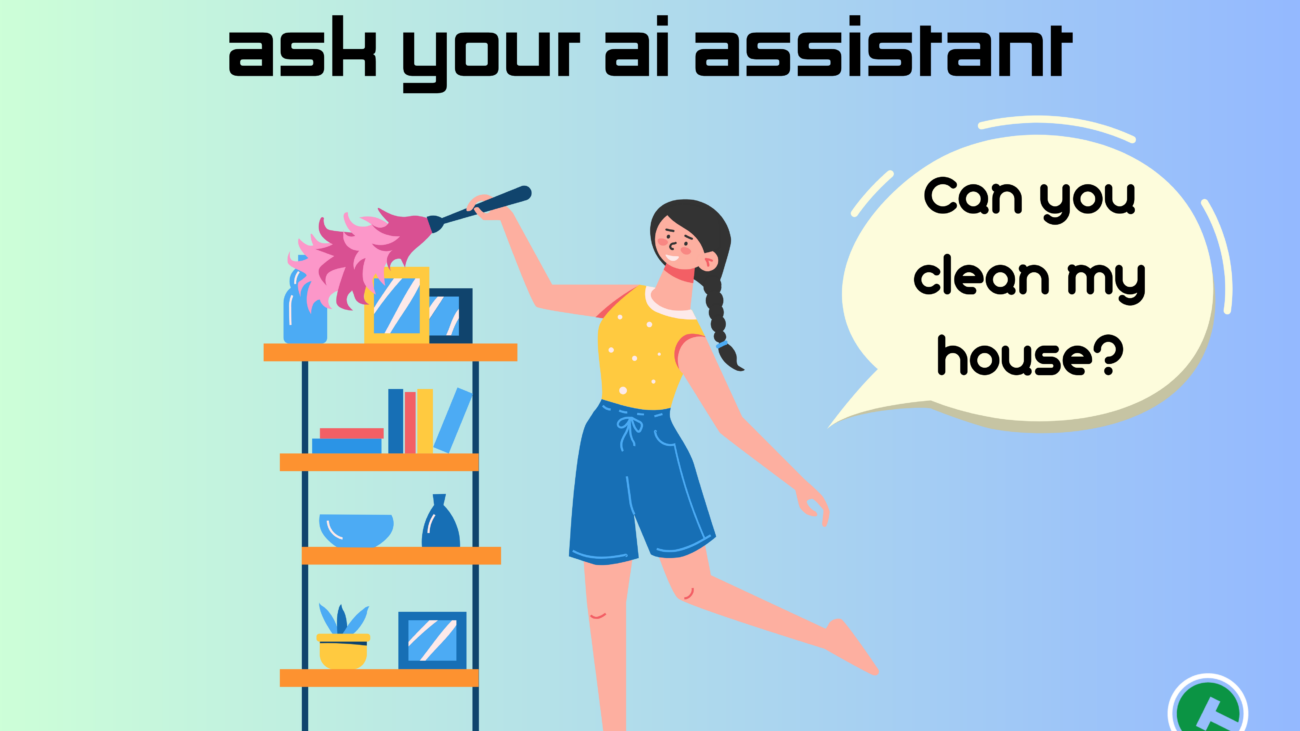
Ask your AI assistant: Can you clean my house?

When you don’t know where to start, start with ChatGPT.

Many of us are beginning to realize ChatGPT as a reliable tool for starting. I regularly turn to it for the beginning stages of an email or article, an idea for journaling, or a quippy headline or title. The chatbot is fantastic at putting something on paper and helping us make immediate progress. It can concrete early ideas into something that appears polished. So, it begs the question, can it help also polish our silver and prepare our homes for relaxation? Maybe.

With the right prompts, ChatGPT can help us start cleaning. ChatGPT significantly breaks down the barrier to starting. That’s because, before being able to hit the ground and see progress made, a goal or large task can feel daunting. Having the goal to clean the downstairs is a noble one, but how long will it take? Where should you spend the most time if you have a limited amount of time to do it all in? What little details will make a place shine? Do you need to buy more cleaning products, or do you have what you need? Let’s find out, and make some progress on the cleaning plans. 

In this next edition of the “Ask your AI assistant” blog series, we are going to be talking about how you can inform and create prompts to generate cleaning tips and tactics.


Creating a cleaning plan.

Note the details: the size and type of space, time you have to clean, and any constraints

Example: 1 bedroom apartment with 1 bathroom, 1.5 hours starting now, already cleaned the toilet and there is a sink full of dishes

If you have a constraint like the note about dishes in the example, be aware that if you include it in the initial prompt, the generated response will direct significant attention to it. When prompting, begin more generally and then ask the chat bot to “edit” the response. If the details are given up front, the chat bot often loses track of the bigger picture.  

What to prompt:

I have [details], how should I start?

  • This will produce an imprecise outline of what needs to be accomplished, such as gathering cleaning supplies, creating a playlist, and denoting where to spend the most attention.

I have [details], could you make me a minute-by-minute plan to tackle it all?

  • The chatbot will respond with a schedule of tasks. It will give you a good idea of how much time to spend in each room and with certain tools. 

The generated responses are a place to start – both in your interaction with ChatGPT and in the tasks and ideas you are prompting. You can refine the responses with additional details, like what cleaning tasks you have already completed or might need significant attention (eg I haven’t dusted since Thanksgiving). You can also direct the chat bot to take a different approach. For example, the minute-by-minute plan included a water break. I followed up with a request for that to be removed, so I could clean continuously. 

Other detail and prompt examples you could adapt for your own use are:

  • I have a 1 bedroom, 1 bathroom apartment I want to keep clean. I’m willing to clean for a half hour at the end of every week day. What should I do each of these days?
  • My 8 year-old asked for a chore to make an allowance. What’s a 30-minute task they could do well to help me out?
  • Could you break down the list of areas to clean by we day? I want to start and finish cleaning a room all at once. 

When the produced prompt isn’t exactly what you had in mind, it can still be a great start, either for the chat bot conversation or for you to copy and paste elsewhere to start your customization of the information. For example, I got a result of some good suggestions for a daily cleaning plan, but I want to have clean sheets at the start of each week – not the end – so I moved onto another document and began shifting things around according to my preferences. It was easier to create what I ended up with having had initial copy to edit and work with from the ChatGPT conversation. 


It’s all in the details.

After mapping out your plan of attack with the chat bot, it’s time to get all the dirty details. Try asking for a list of products and tools you need to gather or, ask more details to refine how you proceed with cleaning tasks.

Prompt examples:

  • This is a good plan! What cleaning tools do I need? OR Could you make me a list of cleaning products I can pick up at the grocery store?
  • What’s the most efficient and clean way to clean the bathroom?
  • What is a good mindset for approaching cleaning so I look forward to doing it?
  • I hate vacuuming. What can I do to make it more bearable?

Chat bots are also useful for getting answers to general questions. They operate by gathering data from around the internet, so the answers it creates are products of what’s talked about and accessed on the internet. This makes it convenient for grabbing answers to common questions. As you’ve likely already seen for yourself, the ChatGPT responses are regularly caveated with the suggestion to take in other information – through your own research and experiences. So, grab a quick answer here and there, and integrate your own thinking to improve the responses’ applicability in your life. 

Some general questions you could ask to gather up information for your cleaning processes:

  • How often should I clean my sheets?
  • How much bacteria spreads by toilet seat?
  • What’s more important in washing your hands, the soap or the water temperature?

Once you have some answers and see a path for perfecting the cleanliness of your space, put on some tunes or a podcast, and keep going! It starts here.

Ask-your-ai-assistant-50-×-36-in-50-×-40-in

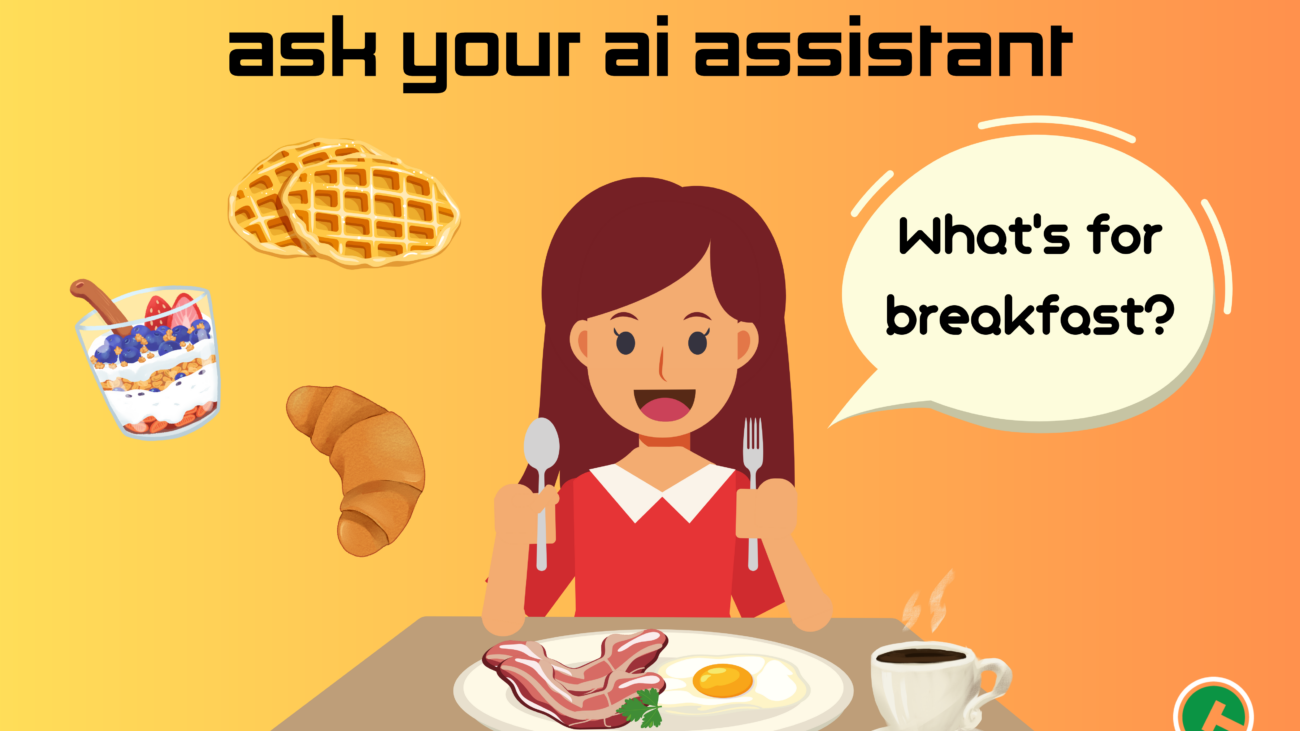
Ask your AI assistant: What’s for breakfast?

Everyone, everywhere seems to be talking about the amazing possibilities of artificial intelligence (AI). Many of them also suggest that the future of success in health and wealth is embedded in one’s ability to implement AI tools effectively. 

Like any tool, it’s only as useful as its users ability. We interact with AI chatbots like ChatGPT through conversational exchanges – making requests, asking questions, and following up for clarification. The results it yields are only as good as the conversations we create. With applications like this, what you put in is what you get out, and how you prompt is key to the success of the interaction. 

So, in this blog series, we are going to be talking about how you can inform and create prompts to generate information that can enhance and expand your everyday life. Let’s get started at a natural beginning: breakfast.


The Perfect Plan

Breakfast foods are my favorite, but it’s not always the meal I have the most time for. ChatGPT can help me plan ahead.

What you need: Gather the ingredients you would like to use in your breakfasts – or come in with an open mind for Open AI’s suggestions! Also consider how much time you want to spend each morning on preparing the breakfast food.

What you want: Do you want to prepare your food fresh? Are you okay with eating the same thing every day? Does it need to be transportable? Also think about what your food needs to do for you – like keep you full for a long-time or fuel you for an intense workout. This will deliver results that you will actually want to integrate into your mornings and screen out ChatGPT recommending a soufflé for your Monday morning commute. 

What to prompt: I’ll give us a few examples:

  • Is there something I can make for breakfast [insert ingredient]?
  • What’s a [descriptor] breakfast I could make at home?
  • What’s something I can prepare for a work week of breakfasts on the go?
  • I don’t want to eat [ingredients], what can I make for breakfast?

As you’ll learn through experimenting, there are many ways to start the conversation with ChatGPT – and there are many ways it might respond. You can get better answers with more specific prompts, but you can also get better answers with follow up comments and questions.

For example, when I asked: what’s something I can prepare for a work week of breakfasts, ChatGPT responded with a recipe for overnight oats. I responded: “I don’t really like eating sweet things in the morning. Is there a savory option?” ChatGPT followed up with a breakfast preparation of savory egg muffins. I wanted another option, so I asked: “Is there another savory breakfast option I can prepare ahead of time?” I received a different recipe for a vegetable frittata. 

After finding a recipe you might like, you can ask ChatGPT to create you an ingredient list for the grocery store. Specify things such as the number of servings and the days of the week the meal will be eaten to have a grocery list that keeps you full for the full week!


Working with What You’ve Got

The “we’ve got food at home” meme has pushed us to realize that we usually do indeed have food at home – just maybe not the ideas to make a meal out of it. Let ChatGPT be the casserole to your noodle and offer you some ideas of how to take what you have and turn it into something you can have for dinner. 

What you need: Select your ingredients you would like to use in the meal. Maybe these will be some produce items that you would like to use up before they go rotten. 

What you want: Think about what type of food you want, how long you’d be willing to spend on cooking the meal, and how many servings you would like to make. You can use this information to generate a result that more closely matches something you’d be willing to make and eat. 

What to prompt

  • I have [insert ingredients]. Could you give me an idea for a [insert meal descriptors] meal using those ingredients?

OR

  • I have [insert ingredients]. Could you give me [insert meal descriptors] meal ideas using those ingredients?

I prompted: “I have 1 yellow onion, a handful of spinach, and half a block of cheddar cheese. Could you give me an idea for a vegetarian and comforting meal that I can make in under a half hour?”

ChatGPT responded with a recipe for a cheesy onion and spinach frittata. When I asked using the other prompt format asking for “meal ideas,” I received five ideas, each with brief recipe descriptors.

ChatGPT does make some assumptions about household ingredients that I have – which is generally pretty useful, otherwise I’d have to write in every ingredient the could possibly be used in a recipe. The results can be narrowed by specifying ingredients that I don’t have. For example, I clarified an ingredient I didn’t have by responding with “I don’t have eggs, can I have some ideas that don’t need eggs?” ChatGPT would have screened for suggestions that included eggs and gave me results more relevant to my situation. The same could be done to alert ChatGPT to allergens, dietary restrictions, or nutrition goals. You will have to share this information each time you prompt for recipes, so consider keeping a Notes file of restrictions and needs that you can copy paste into ChatGPT for your convenience.

If you install the Instacart plug-in, you could then ask ChatGPT to add the ingredients you are missing to your Instacart.

Working with what you got can help inspire meals you haven’t tried with ingredients you already know, and it can help you cut down on food waste by helping you identify recipes that can use the ingredients you’ve got. 


What will ChatGPT help you make this week? And, might you share with the Tech Council?!

News-LS

The Affordable Connectivity Program and its impact, when we put it into action

What’s the Affordable Connectivity Program (ACP) and why should you care?

The ACP was created through the Bipartisan Infrastructure Law with the aim of lowering the cost of internet for students and families. Who wouldn’t grab that opportunity, right? Well, millions of eligible households are actually still unenrolled, but this can change by ensuring that every eligible household can get connected.

Online For All is rallying corporate, philanthropic, government, community-based, and national organizations to meet this moment. The ACP Week of Action, taking place June 14 to 22, 2023 to bring together organizations and leaders from all sectors – from ACP outreach to installment to adoption – to spread awareness of this program, help households enroll, and share the story of how ACP is helping close the digital divide.

When households lack internet connectivity, the lack access to numerous services, resources, and opportunities. Internet connection is healthcare; civic and economic engagement; entertainment, culture, and community. Online For All captures this in some impactful statistics:

  • Higher home broadband adoption rates increase standardized test scores across the board, with higher gains for Black, Latino, and low-income students. (Telecommunications Policy)
  • Twenty-five percent of African American and 24% of low-income teens said they were sometimes or often unable to complete homework because they did not have access to a reliable computer or internet connection.
    (Multimedia Media, Telecom, & Internet Council)
  • Even after controlling for a host of other socioeconomic factors, a 1% increase in broadband access across the US reduced Covid mortality by approximately 19 deaths per 100,000, all things equal.
    (Tufts)
  • The impact was even more stark in urban areas—in metro counties alone, a 1% increase in broadband access reduced Covid mortality by 36 deaths per 100,000, holding all else constant.
    (Tufts)
  • People who qualify for jobs that require even one digital skill can earn an average of 23 percent more than those working in jobs requiring no digital skills — an increase of $8,000 per year for an individual worker.
    (National Skills Coalition)
  • Nearly one-third of U.S. workers do not have foundational digital skills, and workers of color fall disproportionately into this category due to structural inequities.
    (National Skills Coalition)

While Online For All is helping us do the work across organizations and silos of work, it’s going to take all of us to ensure every eligible American can get connected.

In the spaces you work and live, ask about people’s home internet access. We all have a story to share about our own struggles with internet access, and can use these to invite others to share their own stories. If you come across someone who would benefit from greater internet access at an affordable rate, invite them to reach out to us at the Carroll Technology & Innovation Council for guidance and point them towards OnlineForAll.org to apply for low-cost internet.

In addition to these life-changing interactions you can spark by starting a conversation about internet access, talk about internet access as the human right it is evolving into. Internet is becoming as essential as a roadway for accessing resources. Help your community get online during ACP Week of Action and every week.

subtitles

What is this crap? Get to know “craptions” and communicating with computers

Craptions are – get ready for this – captions that are crappy. They are inaccurate, fail to differentiate between speakers, are not grammatically correct, or don’t contain punctuation. In short, they are crap – which is a bummer.

Captions are essential for those who are Deaf or hard of hearing  – in the US, that’s about 15% of the population – and they are a critical tool for those learning a new language, making sense of some muddled speech, or trying to understand what’s being spoken over the sound of crunching on kettle chips.

Viewers are left to attempt to piece together meaning or stop watching all together. It’s not only annoying to us TV snackers, detrimental to those who rely on it, and harmful to the 50% of Americans watching with subtitles most of the time, it’s also supposed to be illegal.

The Federal Communications Commissions is responsible for making sure the airwaves are accessible for every body. Since 1996, they have required all TV shows have available “accurate, synchronous, complete, and properly placed” captions, meaning they match the spoken words and also display background noises accurately. Additionally, broadcasters in the Untied States also have to comply with the 1990 Americans with Disabilities Act. “The ADA says that all businesses who serve the public or ‘places of public accommodation,’ must be equally available to everyone,” concisely summarizes our friends at 99% Invisible, whose “Craptions” podcast episode inspired this blog post.

While online media streaming and communication services are not technically “places,” they do function as a social place. For example, when a family unit is gathered to watch a show, excluding someone from content by not offering them a vehicle for consumption, such as captions, excludes them also from that social interaction; similarly, when people cannot engage with virtual meetings, they are being removed from a place of gathering.

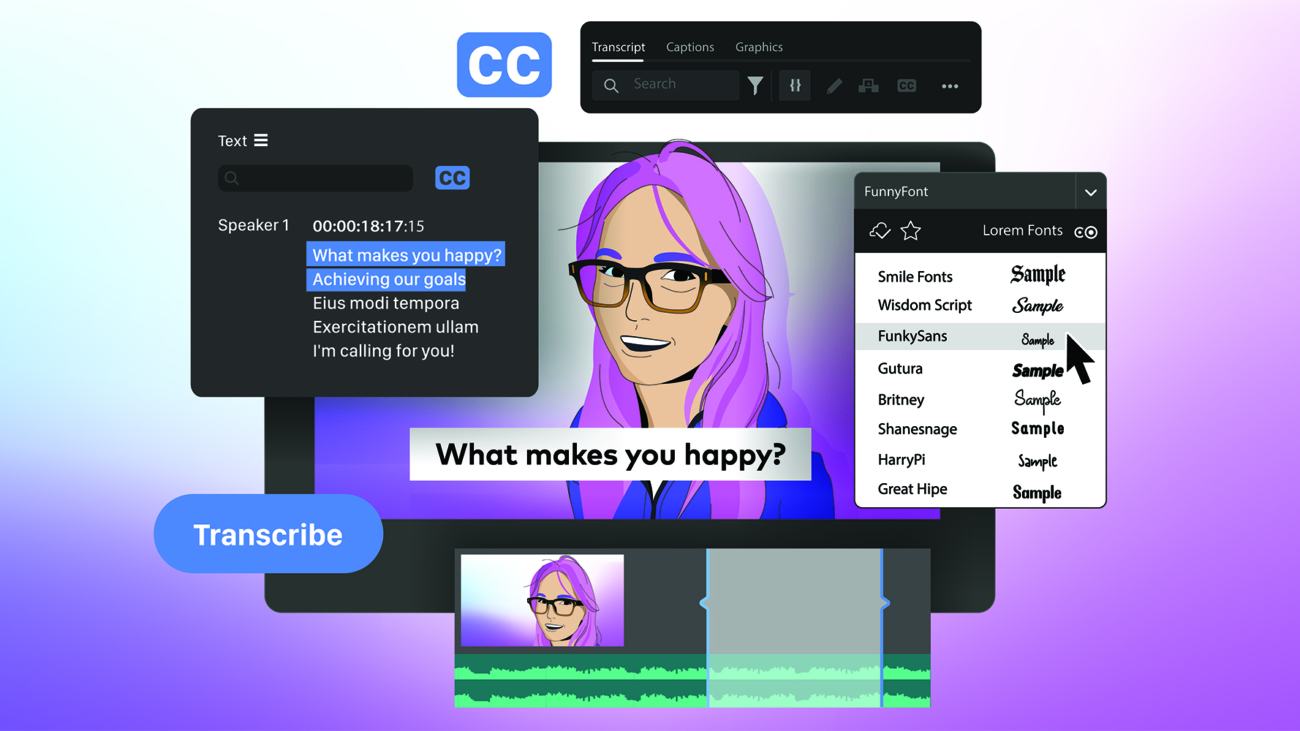
Softwares have been responding to this online meeting need with closed captioning services.

You can check out more note-taking meeting tools here.

Many of these caption creating tools – in meeting rooms and in media – use speech recognition technology, leveraging Artificial Intelligence to scale the captioning process. In place a human note taker or captioner, A.I. programs can transcribe faster, cheaper, and sometimes in real-time. This outcome of Automatic Speech Recognition (ASR) has a significant impact on the products of meetings and movies, for everyone.

ASR is also the technology at work when we ask Siri for the weather and has many other use cases. To make the magic happen, a computer receives audio input, processes it by breaking down various components of speech, and then transcribes the speech into text. An ASR system has a few key components:

  • Lexical design. An ASR system is equipped with language-specific lexicon, containing phonemes and allophones of the language (these are the sounds we put to together to make words). The system includes these fundamental elements of the language – as they will be received – and written vocabulary, the text that will be produced. It makes use of the lexicon information through the acoustic modeling process.
  • Acoustic model. Acoustic modeling allows the ASR system to separate audio into small time frames and provides the probability of the phonemes spoken. This makes it possible for the system to detect phrases produced by different people and accents. Deep-learning algorithms are trained on various audio recording and transcripts to better understand the relationship amongst audio frames, phonemes, and the intended words.
  • Language model. To help computers understand the context of what’s being said, natural language processing (NLP) is used to help systems recognize the intent of what’s being said and use that insight to compose word sequences.

These components work together, intaking audio and making predictions, to recycle our meaning back to us.

ASR offers possibilities for computer communication that seemed unimaginable decades ago – even five years ago. Although it’s evolving rapidly to make sense of our speech, it’s far from perfect, which is why we have labels like “craptions” for some of ASR’s outputs. What will continue to aid captions and those who need them are human notetakers and transcribers – they can help to clarify meaning, emphasize importance, and cut down on the crap in captions.

MAY-THE-FOURTH-BE-WITH-YOU-1

Teeing up technology in the golf club

[column width=”1/1″ last=”true” title=”” title_type=”single” animation=”none” implicit=”true”]

The game of golf is gleaming with technology additions. From its equipments early beginnings made of wood, the golfing arsenal has come quite a long way to get today’s tee time.

Golf clubs are designed with aerodynamics in mind – and in simulated action. The art of crafting a golf club, once honed on hickory wood, has become more of a science. Creators use computer assisted design to construct, modify, and artificially test their designs. Before the 1990s, golf clubs were hand designed and crafted for external cosmetics, then casted and tested after their creation. The current approach to club design enables engineers to take a look at durability, aerodynamics, and performance, before the club even hits the casting.

The ultimate objective for using software is “to evaluate, eliminate, and improve designs prior to spending the time and money to make samples,” said Dustin Brekke, Engineering Manager, Research and Development for Celvelant to Golf RX. This era of technology in golf allows for greater understanding and experimentation with the equipment created.

Creo VP of Engineering Paul Wood considers several elements when testing a driver head or overall golf club, using the model to:

  • Simulating impact on the ball
  • Identify stress and strains
  • Predict performance

Take a walk through a golf club designs, from market research to the 3D printing: How to Design a Golf Club from Start to Finish

The technology behind the head of driver is focused on more club head speed and less wind resistance. Inside the club, components are lighter and stronger, today’s average driver – sometimes weighing 50 grams lighter than previous generations. Golf club design has integrated materials such as graphite, fiberglass, and carbon fiber, enabling engineers and designers to more easily manipulate characteristics of golf clubs. The popularity of these materials has been spurred by constricting price and availability of materials like tungsten and titanium, but the benefits of a lighter club has likely encouraged its adoption among players – or at least caddies.

The aspects of a lighter club, combined with larger, more dynamic driver heads that allow for a more forgiving hit, result in golfers hitting at greater distances. While fantastic for the amateur, some golf industry leaders worry about how a longer hit will effect the integrity of the professional sport.

Concern for the potential negative impacts of technology in golf comes from industry experts who worry, not for the enjoyment and progression of the amateur – who is often directed to do as they like – but for the game of golf, professionally and sustainably. Gary Player, a retired professional golfer, widely considered to be one of the best golfers of all time, is outspoken on this topic.

Efforts and hundreds of millions of dollars spent on refining golf balls and redoing golf courses, in Players opinion, do not do much for the professional game of golf. As technology enables today’s golfers to hit the ball across distances once thought to be impossible, the sport has tried to respond by changing physical courses and the expectations for strategy in the game. Player advocates to cut investments and cut the ball back for the pros. He wants more for the sustainability of golf courses and preservation of the game’s traditional strategy, as well as the recruiting and retaining young players in golf programs.

The dialogue around the role of technology in the sport will continue to be an important conversation, as it is in most spaces.

Tee up your game with some recent golf game highlights:

[/column]
coffee-gcc3c67e0d_1920

Muse on music in the work place

Many of us listen to music while working, particularly when working from home. 75% of employees working remotely listen to music, 40% choosing to do so every day and 35% doing so at least once a week, making it a pretty reliable co-worker. Those who listen to music in traditional work place settings turn to their trusty companion: headphones. And, some companies have even introduced it to in-person work spaces, broadcasting it across the office. Needless to say, music has become a frequent consideration of work life. But, does it productivity? And, how might the music we listen to effect our ability to get work done?

Let’s muse on music in the work place.

Some refuse combining music and work, concerned music might be a distraction. Bill Gates reportedly stopped listening to music for 5 years in his 20s. In fact, to fully dedicate his attention to software, he gave up most forms of entertainment. However, he also did not have access to the Carroll Technology and Innovation blog to give him listening suggestions, so you might need to take the route he ventured down to create the next publicly traded software company.

When you are required to learn at work, it might be best to press pause powerful lyrics. When we are learning, the brain is processing information – analyzing and storing them. When lyrical music is playing, the brain is processing auditory data. This multitasking can result in the brain doing incorrect or inefficient processing of the inputs you hoped to meaningfully learn, struggling to decipher between what data to store and how. So, consider turning off the music during learning, especially if you are learning through a verbal or written stimulus and the music has lyrics.

You could switch the lyrics out or opt for ambient music. Ambient noise, such as background chatter of people or birds, can enhance performance on creative tasks when encountered at medium levels. If you’re a coffee shop worker like me, this may come as an affirmation to your work preferences, and a bullet to add to your list of rationale for spending $5 + on a cup of coffee. When looking for the comfort of ambient noise, try ambient music. This style of music sets a mood or the texture of a scene. For example, I created a Spotify playlist with the inspiration of meandering through an art museum, and frequent it for creative work such as writing this blog.

If you don’t want to support my playlists, Baroque-period music in particular seems to have an positive impact in productivity (if you’re a Spotify user, try it out for yourself with this playlist; if you’re not a Spotify user, I don’t know how to help you). Similar to ambiant noise, there is little to distract you in the form of lyrics, yet much to ground yourself with. Baroque-period works may have an additional edge. A study from many moons ago, conducted by researchers nearby at the University of Maryland in Baltimore and Harbor Hospital in Baltimore, and the less nearby University of Pennsylvania Health System, found positive effects in regard to mood and work satisfaction when radiologist subjects listened to music while working. Within the study, they reference other studies that report a correlation between baroque classical music listening and improved spatial reasoning, attentiveness, and concentration.

So, mind your music choices – and your desk neighbor if you have one – and listen to your hearts content. If it’s not the music made for optimal productivity, that’s okay. Pick something that makes you happy and trust the rest will fall into place!

electronic-waste-recycling-modern-safe-disposal-any-logos-brand-names-have-been-removed-great-recycle-33215490

What’s wasted when we create e-waste?

We change our hair like we change our mind like we change our electronic devices. What’s left is perhaps a regrettable hair cut and a whole lot of e-waste. What do we do with it – well, the e-waste at least?

When we let electronics sit collecting dust, we limit their life cycle – ending it in the kitchen junk drawer or storage stall. Worse, when they are improperly disposed, like they often are, they end up in landfill or a trash incinerator.

  • 70% of our overall toxic waste is e-waste.
  • 85% of our e-waste is sent to landfills and incinerators.
  • Every year, we generate around 40 million tons of electronic waste every year (that’s like throwing 800 laptops out every second).

When used electronics make their way from the junk drawer and into the garbage can, while they may be gone from our immediate environments, they are very much present in our larger ones.

Most of our e-waste makes it to landfills or to the incinerator, where they will be integrated into our earth and air. Electronics have difficulty degrading. They also have toxic materials in them that, when exposed to elements as they will be in a landfill or incinerator, can cause them to leach into the surrounding environment. These toxins can cause the following health risks when improperly disposed and left to inhabit the environments we live in:

  • Lead: can effect every organ system in our body by mimicking or inhibiting the actions of calcium and interact with proteins; can cause neurological damage, particularly in children
  • Mercury: toxic to nervous, digestive, immune system; can cause blindness, muscle weakness, and other neurological effects
  • Arsenic: carcinogen and neurotoxin
  • Beryllium: continued exposure can cause skin diseases and acute beryllium disease, lead to lung cancer

Neglecting to appropriately manage these chemicals neglects our health; Neglecting to make use of the components of electronic devices neglects their health and life cycle. When we waste the potential of our electronics, that’s when they become e-waste.

We can improve the lives of our electronic devices, the people that manage them, and ourselves when we refurbish and recycle them intentionally. Bring your used electronics to a used electronics collection and recycling event. Be sure to make note of the items below that can and cannot be accepted by our partner, Electronics Value Recovery.

Acceptable Materials:

  • AC adapters
  • Cell phones
  • Circuit boards
  • Desktops
  • Docking stations
  • Flat screen monitors
  • Hard drives
  • Keyboards and mice
  • Laptops
  • Lithium Batteries
  • Networking supplies
  • Processors
  • RAM
  • Servers
  • Tablets
  • Wire

Prohibited Items:

  • Ammunition
  • Combustible materials
  • Fluorescent light bulbs
  • Furniture
  • Hazardous materials
  • Household appliances
  • Items containing radiological material
  • Liquids
  • Medical Waste
  • Trash

Charge Back Items:

  • Batteries
  • Christmas lights
  • CRT monitors
  • Flat screen TVs
  • Low grade consumer electronics (heavy plastic)
  • Printers
  • Toner/ink

Diving deeper.

Check out these podcast episodes to learn more about the value of used electronics.

Value waste/wasted value: e-waste recycling in Asia

JetviciStock

Bring broadband home: Action required!

[column width=”1/1″ last=”true” title=”” title_type=”single” animation=”none” implicit=”true”]

In just 5 minutes, you can contribute to the Federal Communications Commission’s broadband data collection and help bring broadband home.

The FCC broadband map gives insights into internet services – providers and internet speeds – at a particular point or location of a home or business.  

The accuracy of this map is critical in enabling states to access the 42 billion dollars the federal government has set aside for the Broadband Equity, Access, and Deployment Program (BEAD), aimed at getting internet throughout the US. “They are working with states to identify underserved areas – and they are using these maps to identify these areas, so they need to be as accurate as they can be,” said Jay Uebel, Broadband Project Manager with Carroll County, Maryland. 

With appropriate access to these funds, as warranted by the accuracy of this map, states can use the funds to bring reliable, high speed, broadband internet to underserved and unserved areas. And, that’s where you come in. 

The success of the FCC map and state’s access to funds relies on the fact-checking skills of the public. “What we need is the help of the public to crowdsource this – basically go in and check their addresses and check that the information is correct. And if not, they need to file a challenge,” said Uebel. Individuals need to ensure their information is accurately represented – luckily, it’s pretty easy to do. 

Simply enter your address into the search bar located at the top of the page. The platform will then navigate to your property’s identification (information). Once there, you will see a pin representing your address, and from there, your discrepancy deciphering begins.  


Making Challenges 

You have an opportunity to challenge locations as well as provider information.  

Location Challenge 

You may find that the pin is mistakenly on a building you would not consider to be your home or place of business, or perhaps the pin is not attached to any structure.  

If there is a discrepancy in the location of your address, you can file a location challenge by clicking the pin associated with the address searched or a spot on the map where an address ought to be and selecting the button to “Challenge Location”. You can also start a challenge by clicking “Location Challenge” beside your address in the sidebar that popped up as a result of the address search.  

In the pop-up menu that results from any path taken, add your contact information, correct the location mistake, and add any additional information. Then, submit! 

Location information is useful for understanding the density of areas, so correcting any discrepancies is useful for creating an accurate representation of the area.  

Service Challenge 

When you click on the pin, a sidebar will appear with information about the broadband type, technology, and speed, as well as internet service providers and technologies available. 

If you notice an inaccuracy, begin a challenge by selecting “Availability Challenge”. Then, select the provider whose information is incorrect. To file a formal challenge, you must send challenge information to the provider by selecting “Send my challenge to the selected provider”. Enter your contact information, describe your experience, and add any additional information. Then, submit! 

These define your access to reliable, high speed, broadband internet and the quality of these indicators will be used to inform investment decisions. The County and various service providers will use this information to determine unserved and underserved areas and where to grow their service.  


The FCC won’t have you asking, “can you hear me now?” to the allocation of government funds – even if you’re stuck asking the question day to day right now! The FCC map is an opportunity to have a voice in the continued expansion of reliable, high speed, broadband internet. 

The map has additional features for your perusal, such as area summaries and coverage percentages for fixed, mobile, and combined broadband. You can also snoop provider details and narrow in by technology type. There’s a lot to see! 

Get started on filing your challenge today and spread the word to help your home secure reliable internet access.  

Take on your own challenge to check for any challenges in the next 10 minutes, and then share the mission with 2 friends! To make anything happen, direct contact is the best, so while sharing this blog may help, personal outreach from you will make the biggest impact.  

How To Use The FCC Broadband Map To Submit A Claim 

[/column]
Blue-Gold-Modern-Happy-New-Year-Poster-Landscape-1

3 New Year’s Resolutions for Small Business Owners

Make Your Marketing Mark.

The temptation of tough economic times is to cutback on marketing, but research as shown that companies that maintain marketing expenditures during recessions emerge stronger. Often business leaders follow the lead of consumers and reduce their spending when hard times hit. Evidence encourages the contrary. Businesses that maintained or raised their marketing during the recession had significantly higher sales after the economy recovered in a McGraw-Hill Research study that looked at 600 companies from 1980 to 1985.

Choosing to spend less during a recessions leaves businesses in a less competitive position when the economy recovers. Those who spend less have also missed an opportunity to be the only voice in the room – customers continue to be aware of advertisers even when they have cutback on spending for the recession period and your business can present as the only option in the market when the consumer returns to purchasing. Such was the case for VRBO, an Expedia-owned vacation rental marketplace.

When COVID-19 hit and people stopped traveling, Airbnb cut their ad spending. During this period, VRBO outspent Airbnb 10-fold in advertising, spending $90.8 million in advertising from January to February 2021 compared to Airbnb’s $8.9 million. As a result, VRBO’s bookings recovered by 61%; Airbnb’s bookings dipped by 15% during the same time frame.

So, continue to invest in your marketing and make the most of this moment.

Give the Present of Online Presence.

The pandemic pushed us to rely on digital capabilities, but there’s more you can do to optimize your online presence.

Social media accounts offer a consistent connection with customers and can be used as an extension of services. Retail businesses may already be familiar with listing their products on web platforms for selling, but legal and accounting firms may have yet to realize the value of delivering professional advice on a livestream, or a therapist can make a video modeling an effective boundary-setting conversation.

In an age where a large part of the consumption is spent before the wallet comes out, investing in being in the places where your consumers are will disseminate information about your business and form relationships regularly. Consumers are already consuming media, so invite them to consume yours!

Find the Federal Opportunities

To rebuild the economy and infrastructure post-pandemic, there is lots of funding going towards states and localities from federal legislation. Small business owners should look into opportunities for funding and federal contracting. Owners part of an underrepresented population or part of an underserved community can additionally apply for certifications intended to improve their access to corporate representative and supplier diversity professional contracts.

Additional certification opportunities can be found at:

Commit some time to exploring the opportunities ripe for your picking. These resources are intended for you to use them, so don’t let them pass you by this year!

Untitled-design-1

Ay! What’s up with AI chatbots?

In its own words: Welcome to our blog about ChatGPT, the revolutionary chatbot that uses advanced natural language processing technology to understand and respond to user inputs. ChatGPT is so advanced, it’s almost like it has a sense of humor! (Well, almost.)

I asked ChatGPT to introduce this blog for me. And although it’s not quite as funny as I am (right, guys?), it certainly does the trick.

ChatGPT has come on the scene as a language model trained to deliver human-like responses and conversations. Being one of the first, anyone can access it on a friendly web-interface and give it a try. Becoming a sort of friend in its own right, variations of ChatGPT are becoming remarkably capable of delivering coherent, digestible information.

Not only can they provide facts, but they can also create business plans, paper topic ideas, and even original humor. Users are having a blast asking the artificial intelligence (AI) system to create writings using peanut butter and VCR humor and in the style of a man going on tangents about the pumpkins he grew – yes, seriously. 

Users can ask them questions like we used to ask a Magic 8-Ball, although these answers are coherent prose about black holes and egg incubation rather than “it is certain” and “decidedly so” – although answers might intersect at existential questions. Users can also clarify their request to achieve more applicable and precise results, like in this sample from the Open AI website

Its creators and users are also finding more serious applications, such as spotting and fixing errors in code and answering open-ended analytical questions, the types that appear on school assignments and examinations.  

Some academic entitles worry about the potential for plagiarism, given the ease of use. Students could, potentially, rely on the AI writing creations for creating their assignments. This will likely be “field tested” by students, but, as this temptation is recognized and perhaps submitted to, it is also an opportunity for educators to rely on other techniques for evaluations.  

“AI platforms like ChatGPT are prompting educators to re-evaluate traditional methods of assessment and instruction- as an instructional designer I’m excited by this opportunity to promote student-centered alternatives,” said Alissa Harrington, Senior Instructional Design Specialist at McDaniel College.  “Ultimately, it’s important for teachers to have conversations with students about AI platforms like ChatGPT and leverage the technology to create learning opportunities around misinformation and unbiased content.”

Although chatbots seem to operate with discernible confidence, they are not always correct.  

Cade Metz of the New York Times reported “But they do not always tell the truth. Sometimes they can even fail at simple arithmetic. They blend fact with fiction. And as they continue to improve, people could use them to generate and spread untruths.” 

This ability to take what they have learned and shape into something new is what makes them compelling storytellers, already entertaining millions of users. This willingness to be inaccurate is also what makes them likely not the best fit to author a research or work assignment on your behalf – creators remind users that the creation is a research project itself. 

As people test ChatGPT, the system asked them to rate its responses. Through reinforcement learning, ChatGPT uses the ratings to define its functions and even gain the perspective – and maturity – to admit when it’s wrong to the user. 

Fixing the issue of untruths and incorrect answers all at once is a challenge as there is no source of truth given to ChatGPT during the reinforcement learning (RL) training and it assumes intentions of ambiguous questions, rather than getting clarity – we know what happens when you assume, you make an…. you know the rest.  

Like us navigating the applications of AI, ChatGPT will continue to experience and intake feedback to better understand its contributions. Until we know for sure, we can certainly enjoy its humorous contributions. 

Try ChatGPT for yourself! 


Have a comment or experience with ChatGPT? Want to learn more about Artificial Intelligence or another topic? Email me at molly@carrolltechcouncil.org and let’s continue the conversation.